1
Sign in to Eventakia
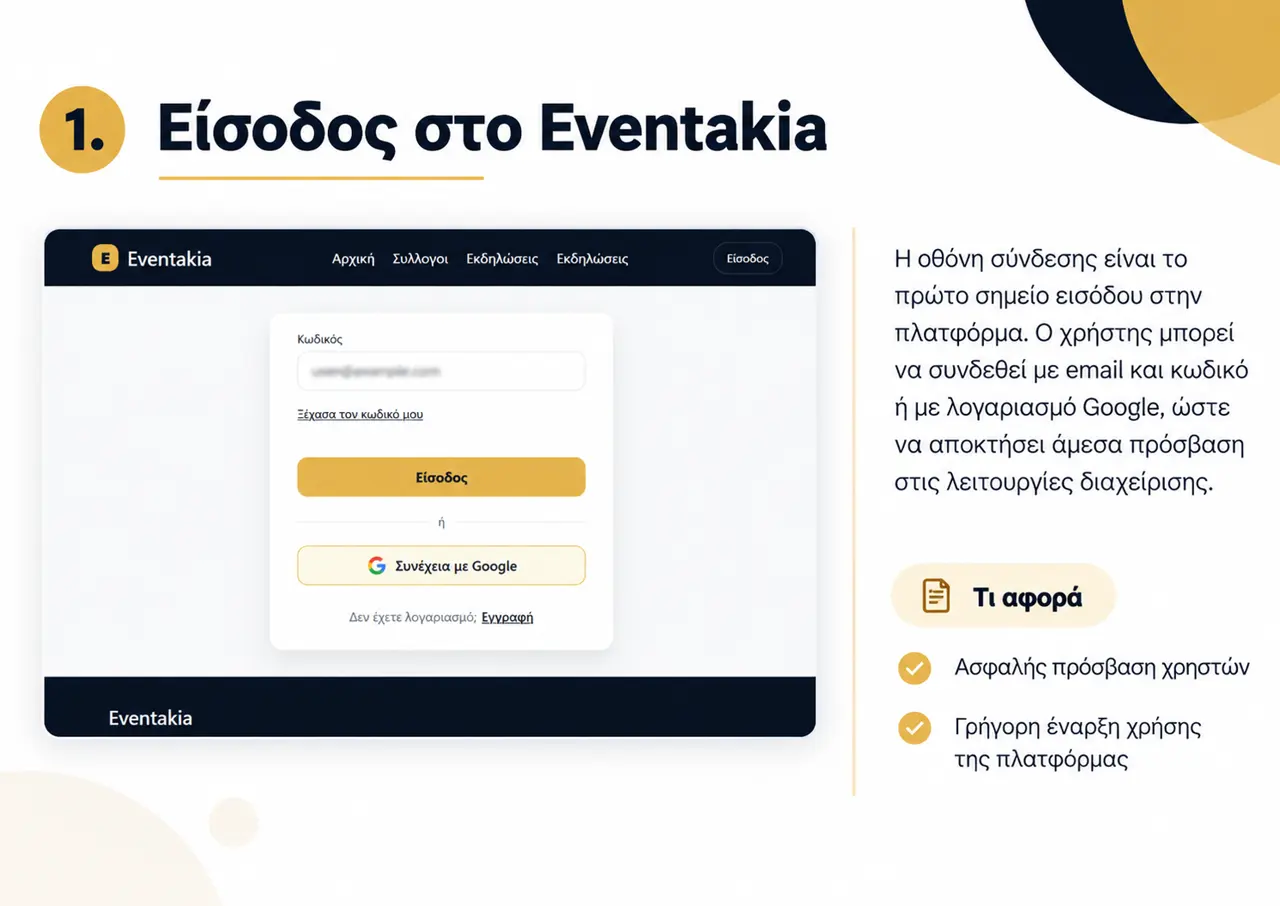
Sign in with your account credentials or choose “Continue with Google”. If you do not have an account yet, use the registration option.
What you do here
- ✓Access your personal account
- ✓Start managing your organization
GUIDE FOR ORGANIZATIONS
A practical guide to organizing your organization’s presence and day-to-day work in Eventakia.
Sign in with your account credentials or choose “Continue with Google”. If you do not have an account yet, use the registration option.
What you do here
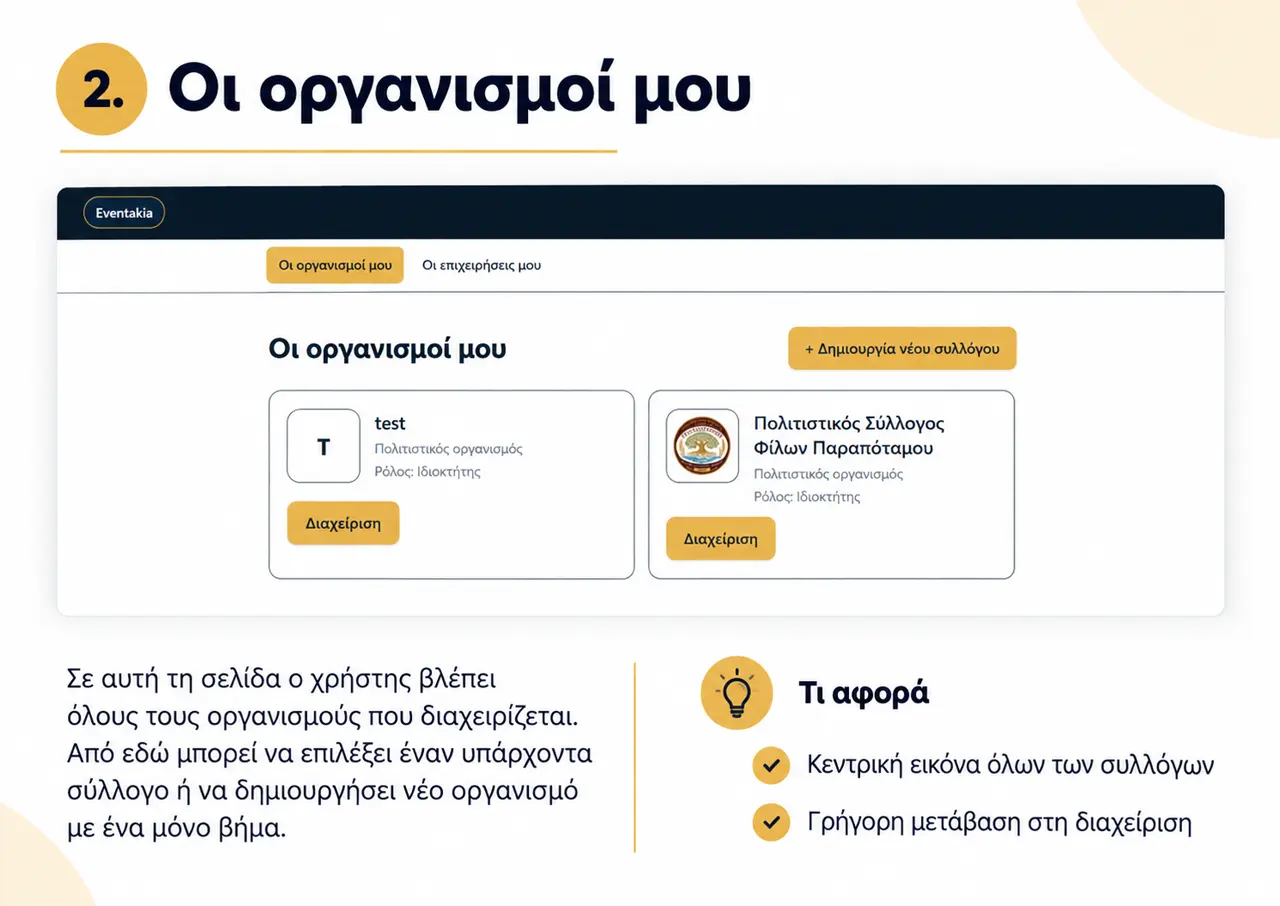
This page shows the organizations you manage. Choose “Manage” to open an existing organization or create a new one.
What you do here
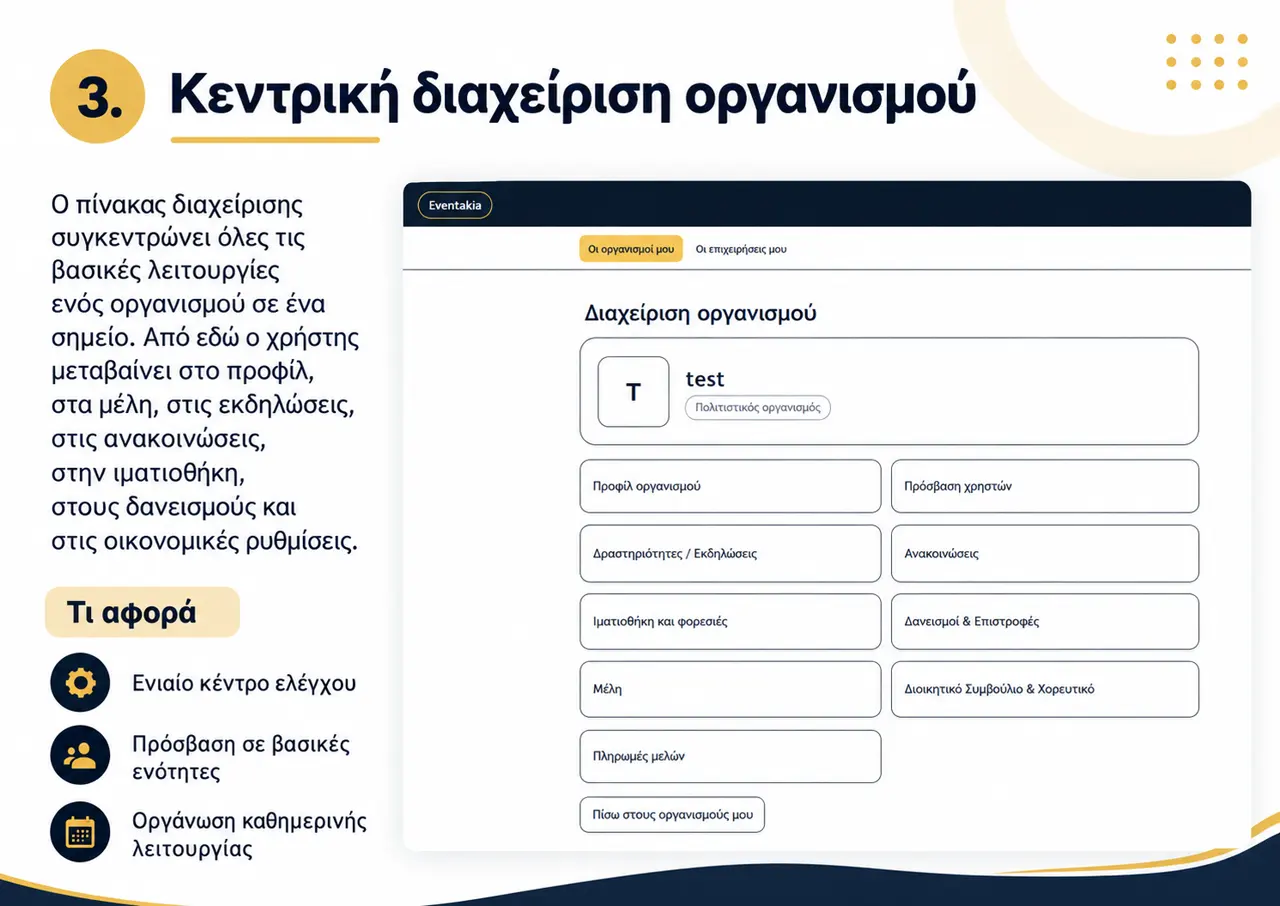
The management dashboard brings together profile, users, activities, announcements, wardrobe, loans, members and payments.
What you do here
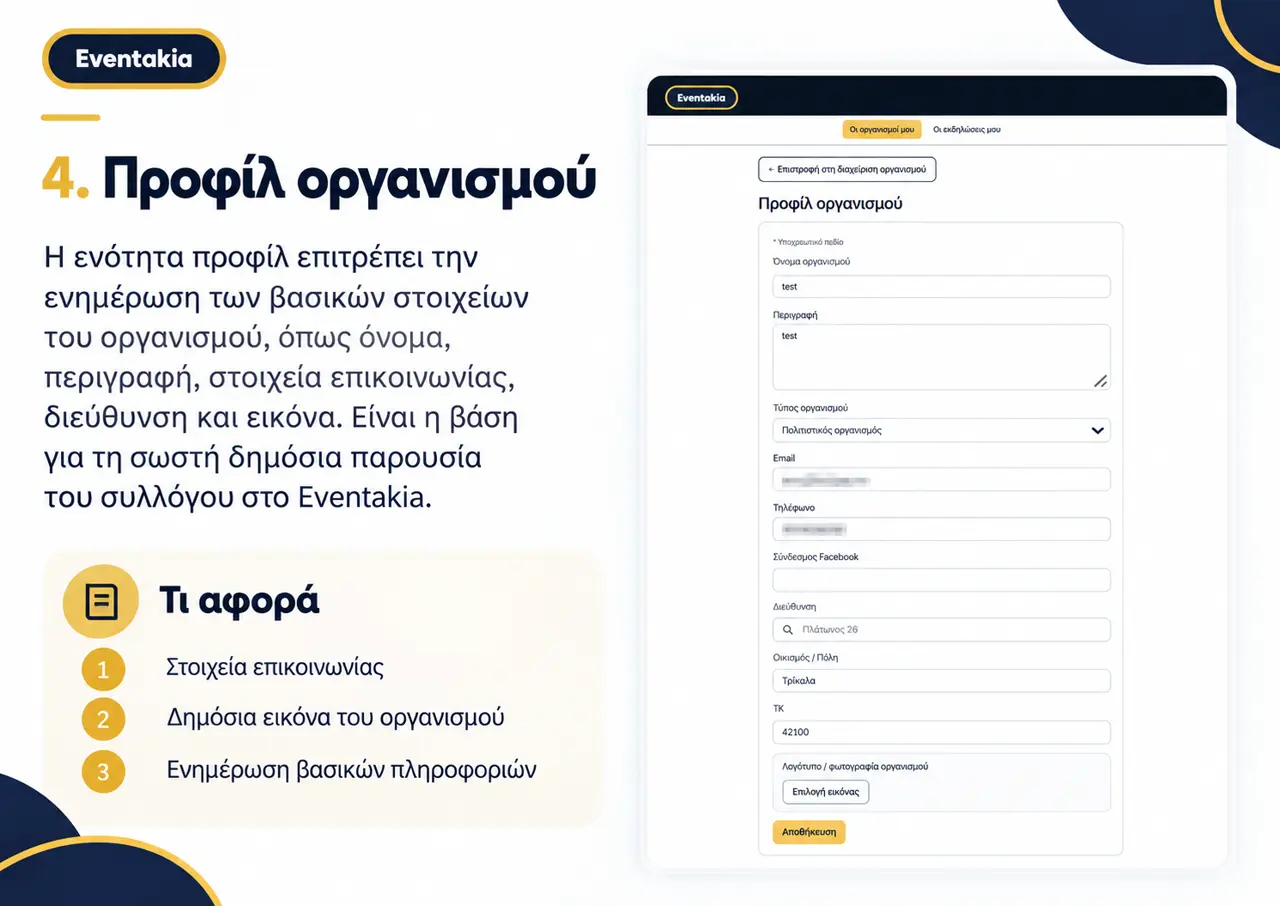
Update the organization name, description, contact details, address and logo or photo.
What you do here
Invite collaborators by email, assign an appropriate role, and review active users and pending invitations.
What you do here
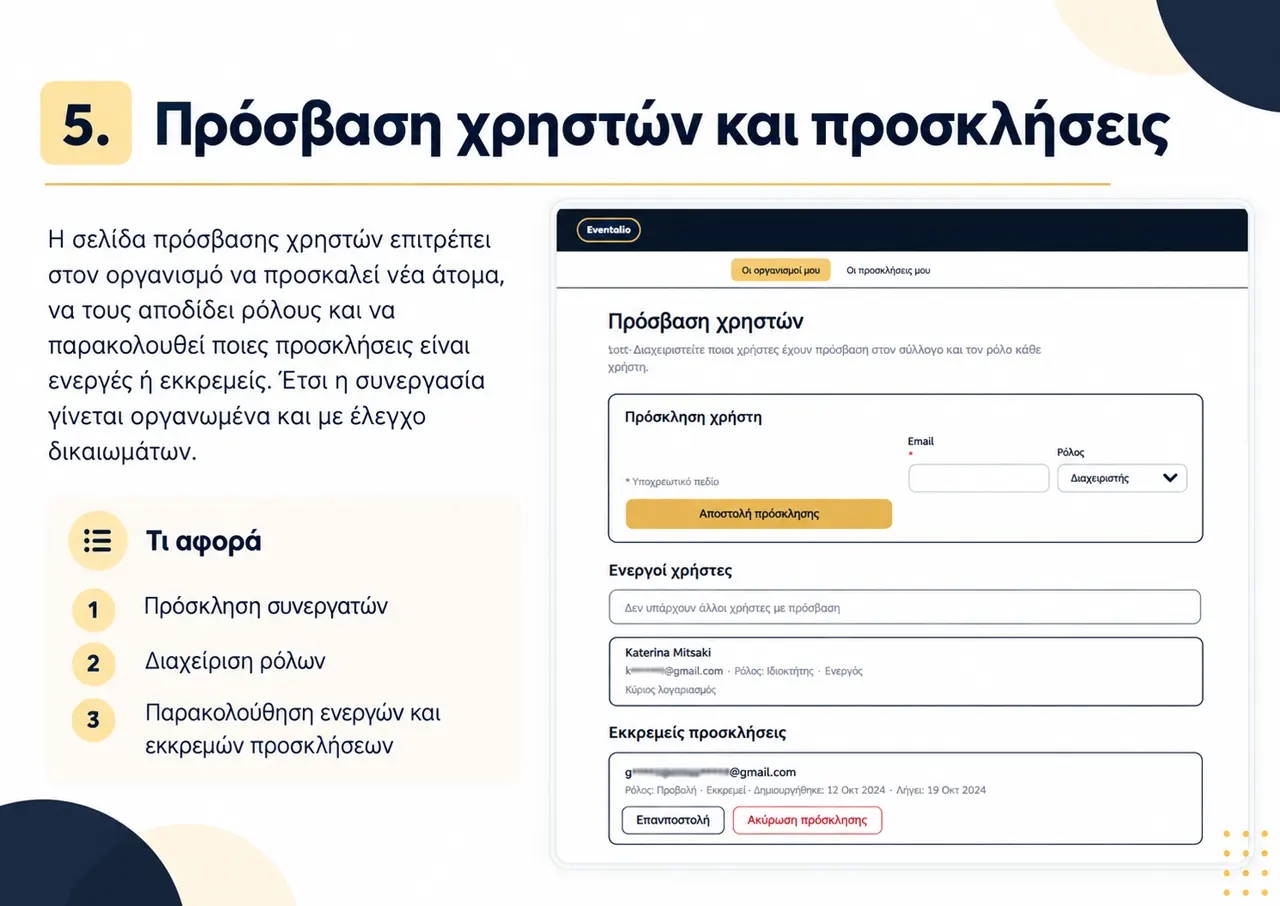
Create updates with a title, body text, dates and an optional image so the organization can communicate clearly with members and the public.
What you do here
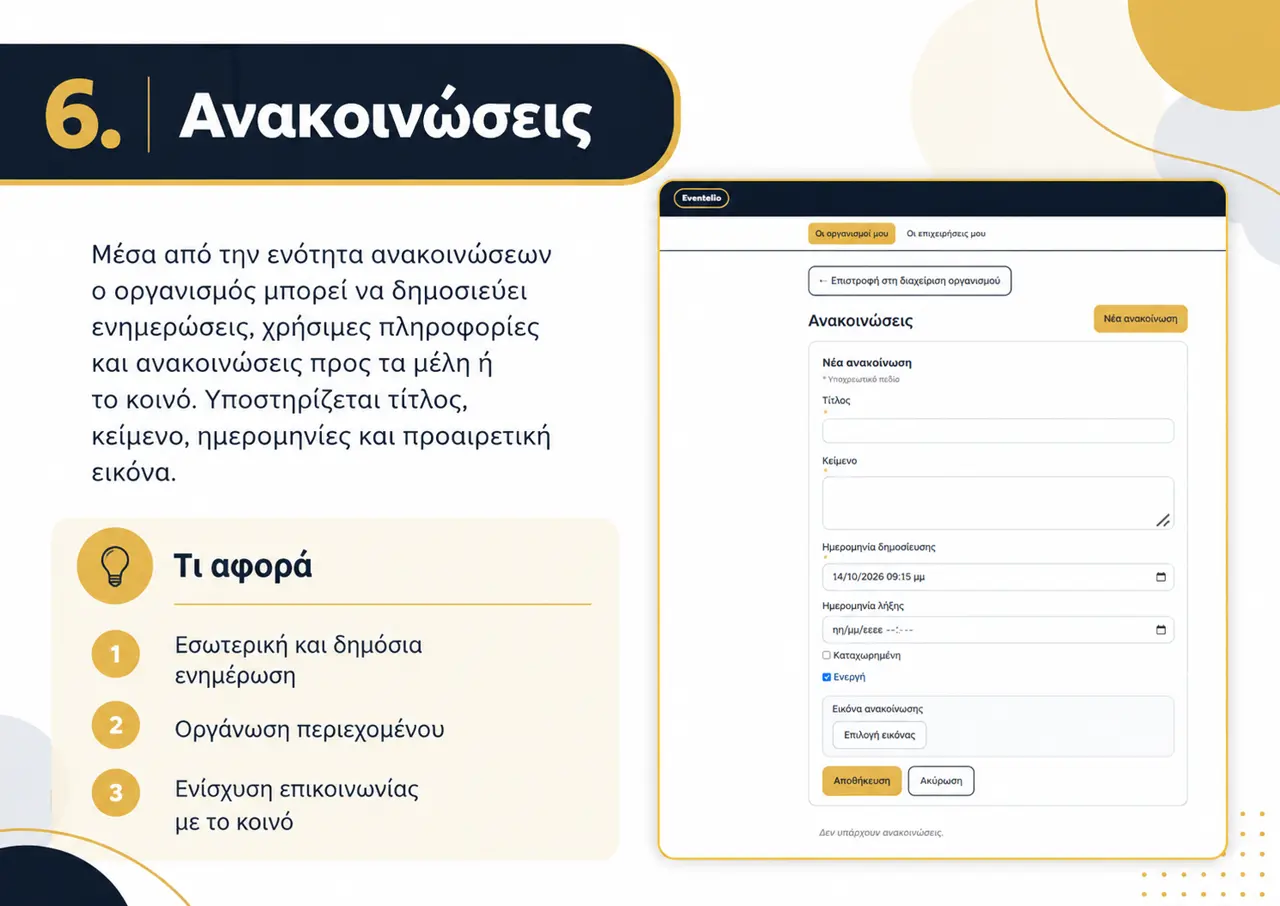
Add a title, description, dates, venue, address, poster or other file and, when relevant, a price. Events are reviewed before public display.
What you do here
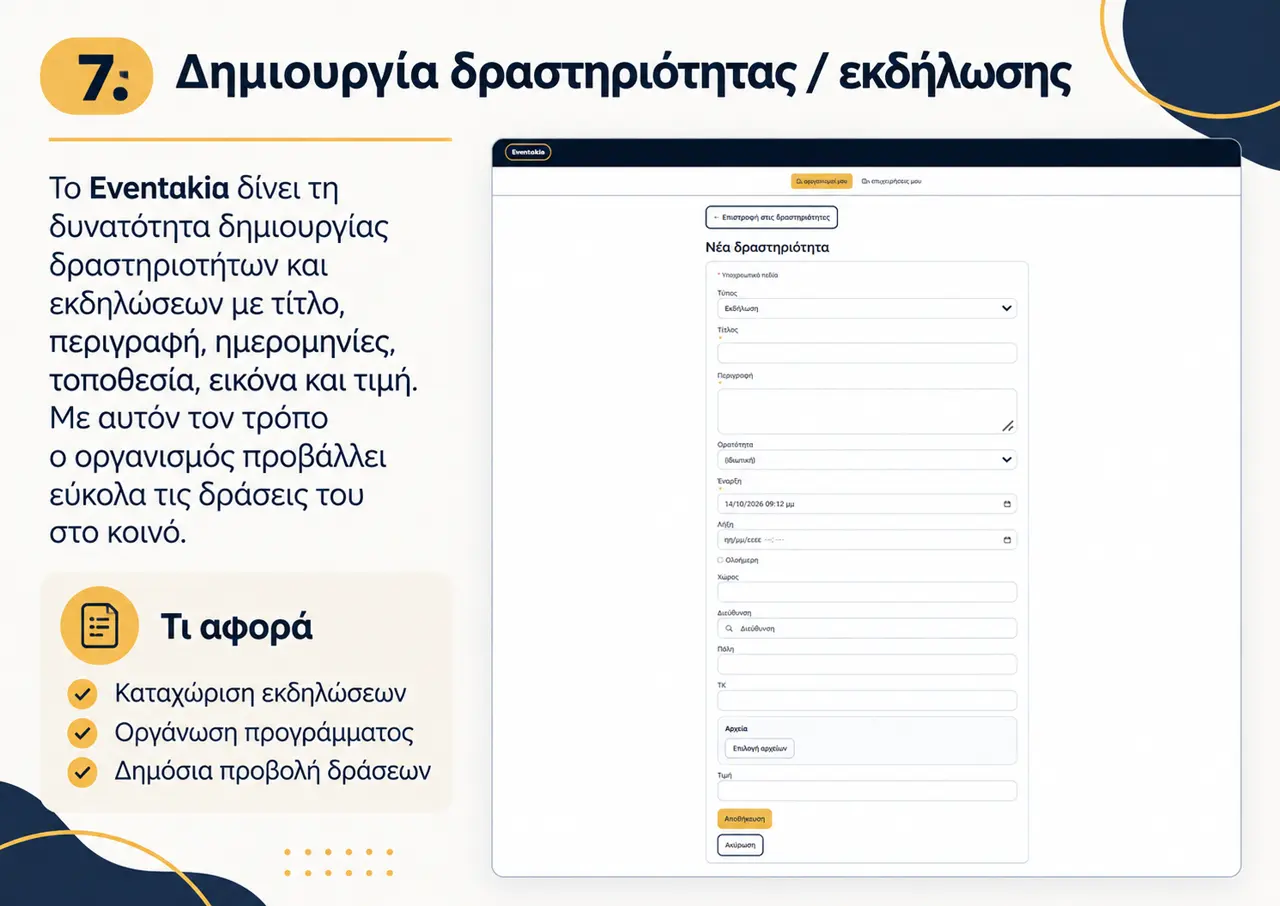
Record costumes and other items with description, category, availability, quantity, sizes and core management information.
What you do here
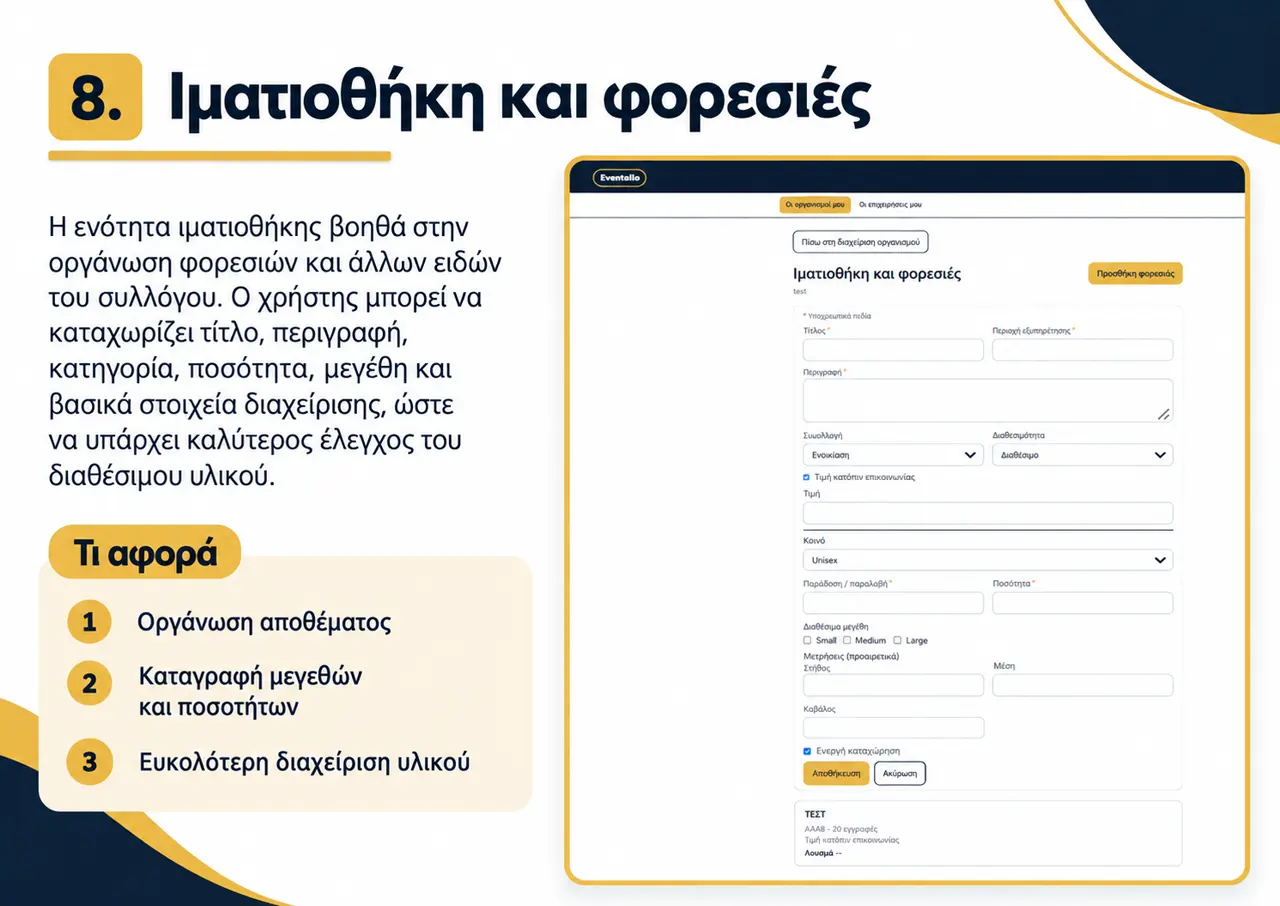
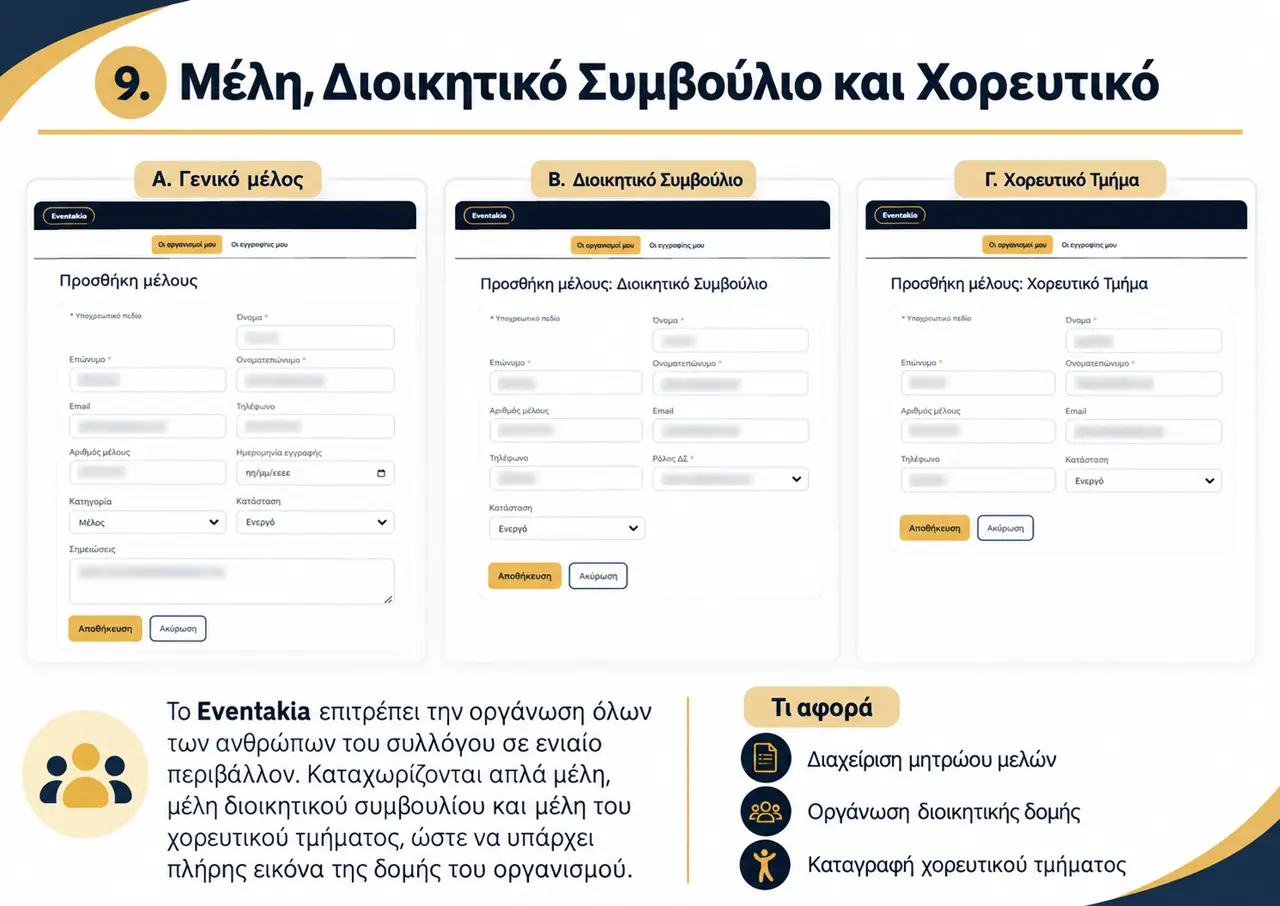
Record organization members and separately organize the board and dance group structure.
What you do here
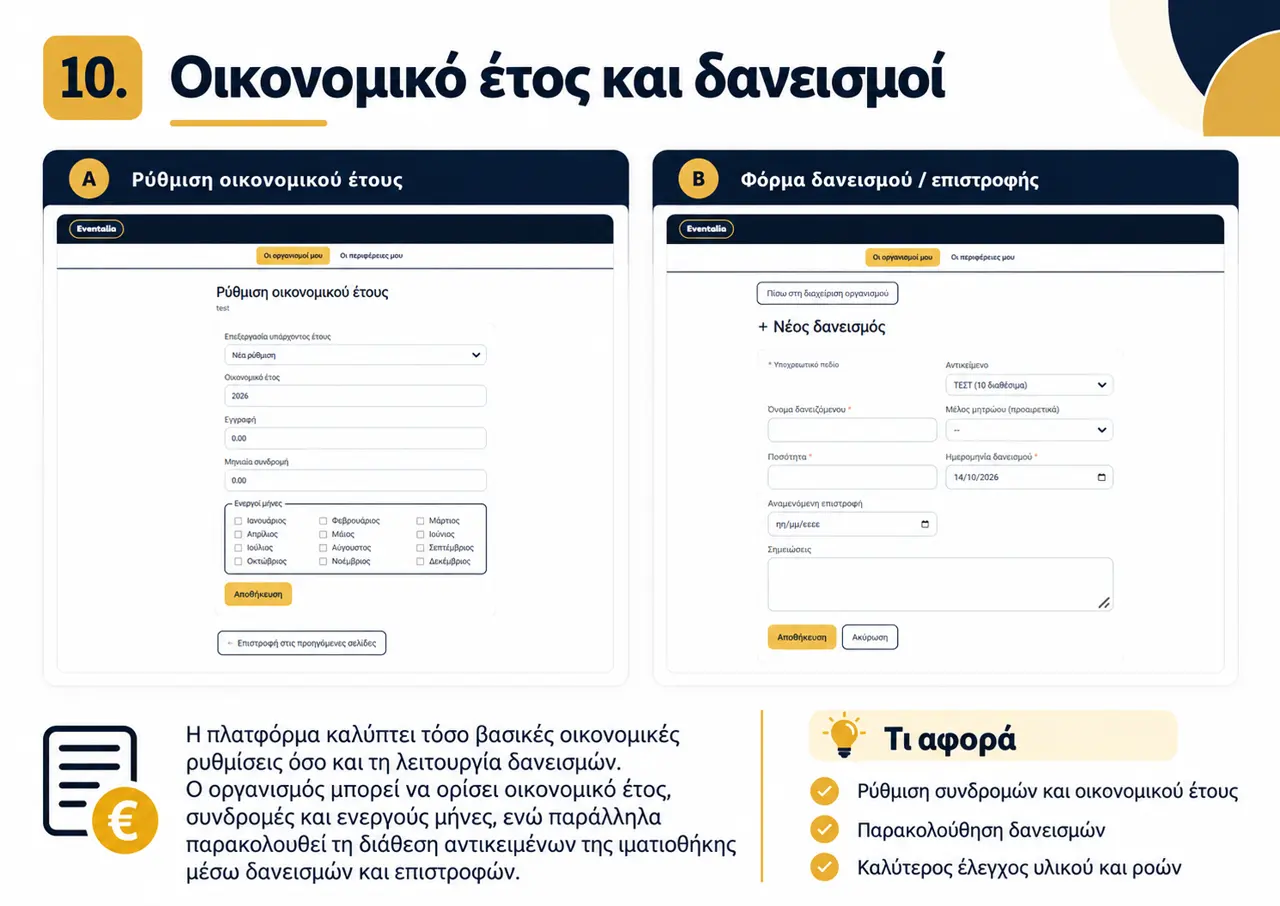
Set the financial year, registration fee, monthly contribution and active months. You can also record item loans, quantities, dates and expected returns.
What you do here
Eventakia is more than a public listing. It provides one environment for organizing your organization, activities, members and available resources.
Participation is free for cultural organizations.